
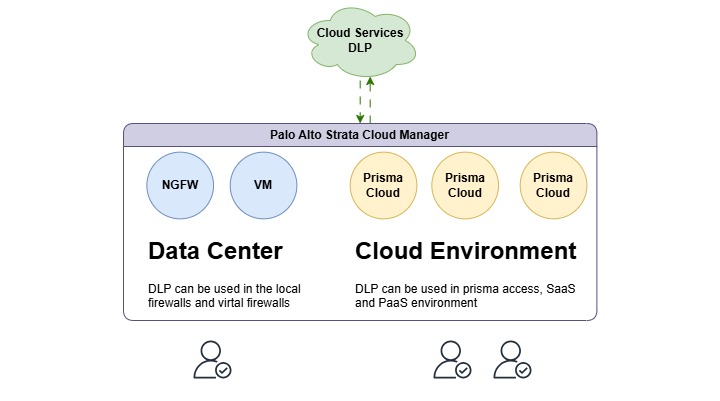
What is Palo Alto Data Loss Prevention (DLP?
It’s a solution designed to detect, monitor, and protect sensitive data from unauthorized access, sharing, or leakage across an organization’s network.
For Instance, If you want to email someone your social security number using Gmail, the email goes through a security check first. The firewall looks at the information using a feature called Data Loss Prevention (DLP). It decides whether your social security number can be sent.
If your email or chat has sensitive information, the DLP system may block it from being sent. If that happens, you will see a message telling you that the file couldn’t be sent or that the connection was reset, or some similar behavior.
Let’s look at this image below.
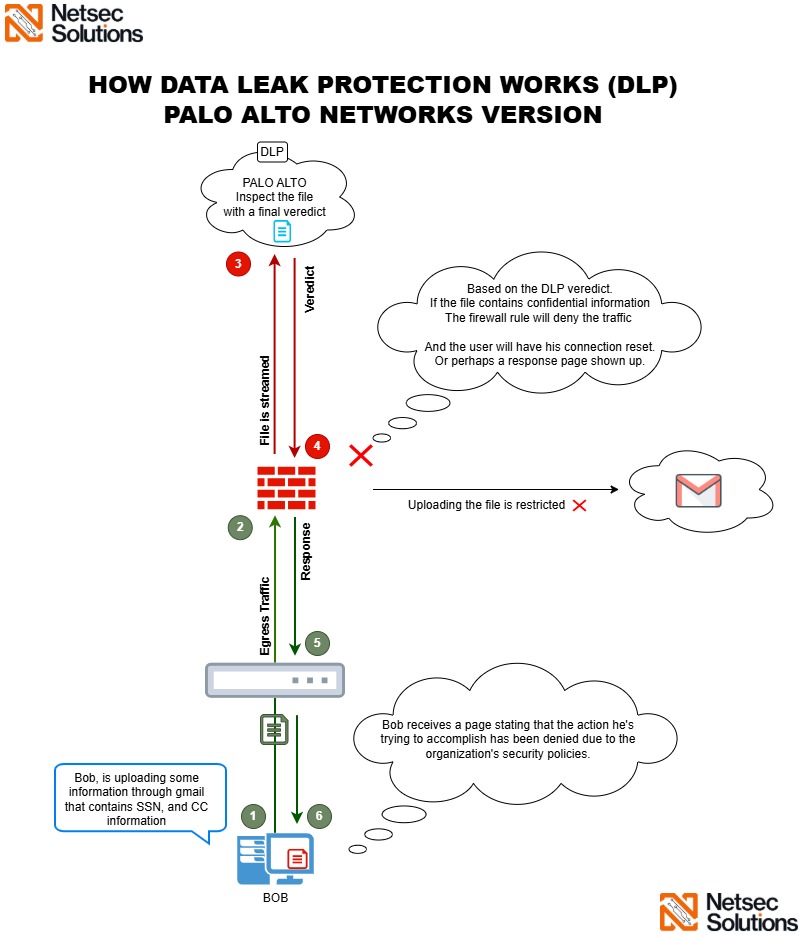
Explanation
- Bob wants to send an email containing confidential information. (SSN, CC, ID)
- The firewall intercepts the file, sends it to the Palo Alto DLP cloud for checking for any confidential information, and then waits for a final verdict.
- Palo Alto DLP cloud examines the file and forwards a final verdict to the firewall.
- The firewall checks the security profile for a match and blocks the file from being sent.
- The user either gets a response page or an error stating that the file couldn’t be sent.
NOTE: The firewall cannot provide a quick verdict about the files. Therefore, all files are streamed to the Palo Alto DLP cloud over the internet for inspection. Once the firewall receives the feedback, it will allow or block the file/traffic based on the final verdict from the DLP cloud.
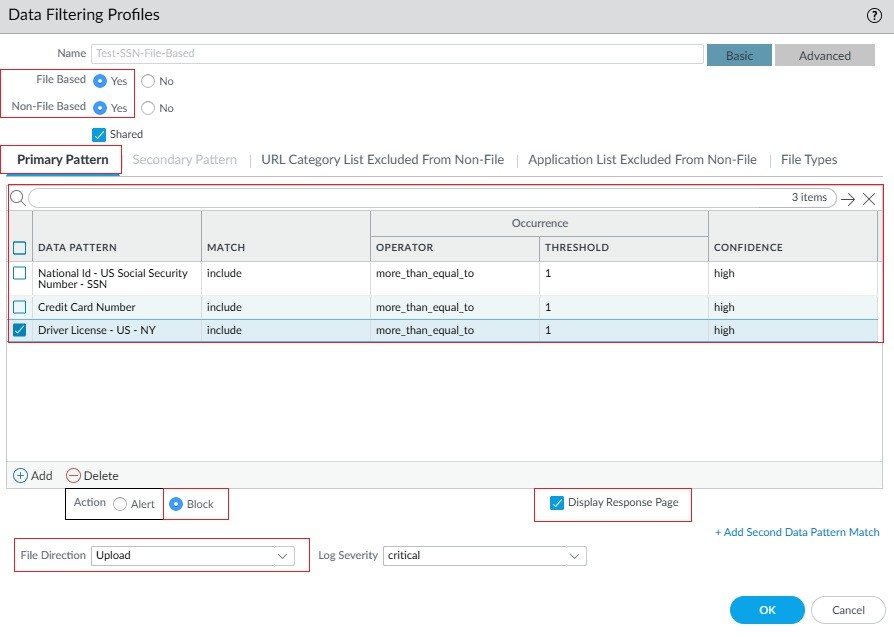
Here is a profile that limits access to sensitive information. This profile will be associated with a security policy to ensure data protection.
What is required to activate this feature?
- You must be running PAN-OS 10.2.4 and later and have the recent content updates in place.
- You need to have an enterprise DLP license active.
- You need to install the DLP plugin if you’re using Panorama. Optional. I recommend using Panorama to manage DLP.
What’s the benefit of having DLP in place?
- Centralized Management: Unified policies for all environments.
- Scalability: Supports growing organizational needs through cloud-native deployment.
- Enhanced Security Posture: Reduces the risk of data breaches and accidental data exposure.
- Simplified Compliance: Ensures compliance with customizable templates.
What are the use cases?
- Preventing insider threats and accidental data leaks.
- Protecting intellectual property from unauthorized access.
- Safeguarding customer data in compliance with privacy regulations.
- Monitoring and securing data transfers in remote work environments.
Need Help?
If you or your organization are having a little trouble getting this service up and running, don’t worry. We’re here to help! Just give us a call or send us a message, and we’ll be more than happy to help you get everything set up smoothly.
Cheers,